Why a GODESON Disc Brake Rotor Micrometer matters in real workshop work
A GODESON Disc Brake Rotor Micrometer is not the kind of tool people buy for the fun of it. They buy it because brake decisions get expensive fast. If a rotor is too thin, resurfacing may not be worth the risk, and replacing it too late can turn a routine service into a comeback job. For shops, fleets, and inspection teams, the real value of a digital rotor micrometer is simple: it gives a quick, repeatable thickness reading on a part that directly affects safety and customer confidence.
That sounds straightforward, but in practice the measurement task is a little more awkward than measuring a shaft or a sheet. Brake rotors sit in confined spaces, wear unevenly, and often need a long narrow measuring reach to get to the true braking surface without interference from the hat or edge geometry. That is where this style of depth-format micrometer earns its keep. It is also why buyers should look beyond the label and think about how the tool will actually be used in the bay, on the receiving bench, or at the QA table.
What this tool is designed to do
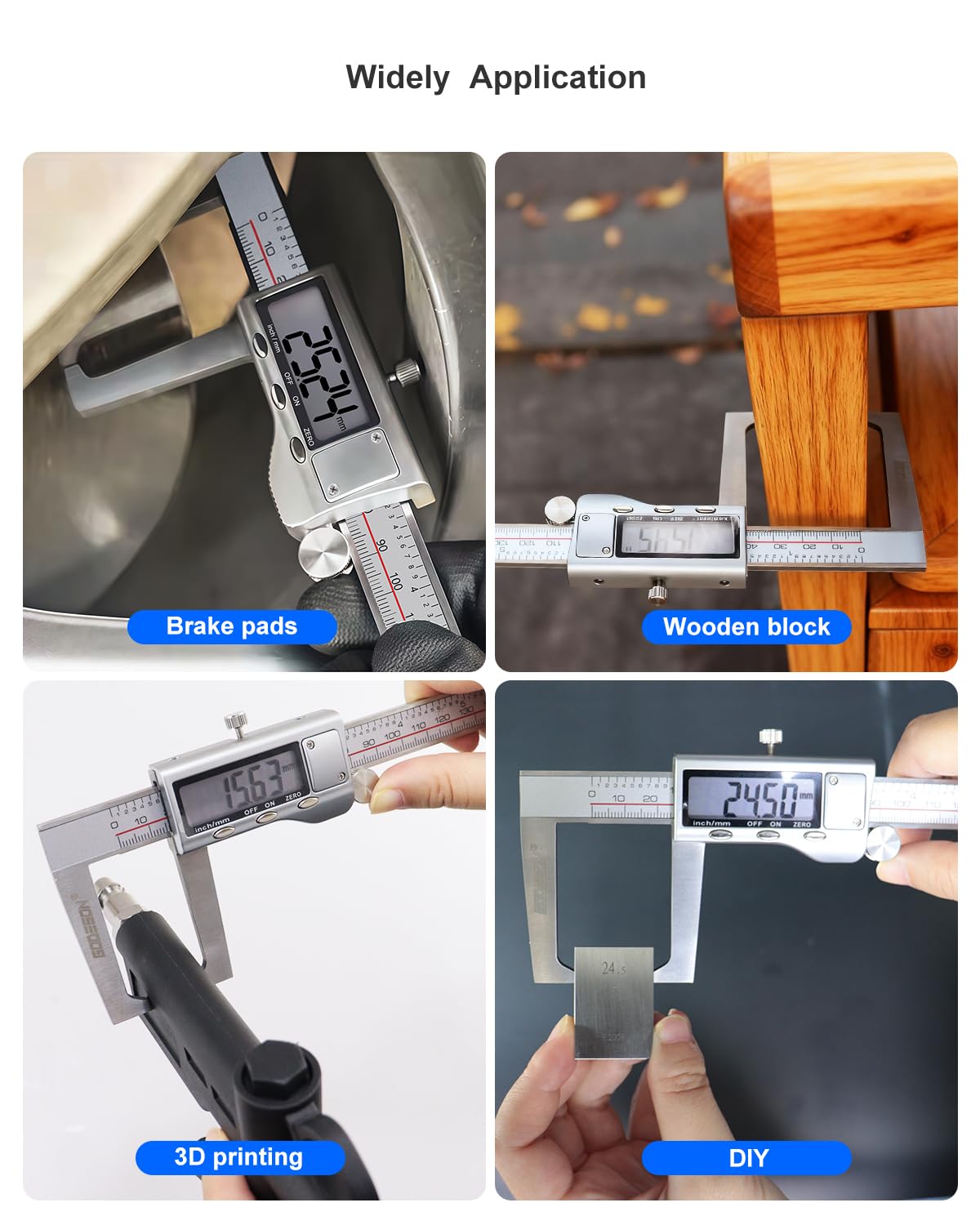
From the supplied product information, the GODESON tool is a digital rotor micrometer or depth-style measuring gauge with a long, narrow measuring beam. Its structure is aimed at measuring rotor thickness and other flat components where a standard caliper may not reach cleanly. The visible setup includes a hardened stainless beam, a digital display head, a contact tip or anvil, and a protective storage case with foam. There is also a USB cable included, which suggests either charging or a data connection, though it is not safe to assume which without confirmation.
The important point for the buyer is not the accessory list. It is the geometry. Brake rotors are not always easy parts to measure neatly. A gauge built for this task can reach the contact surface without guesswork, and that matters when a technician is checking wear on a vehicle that still has enough material left to pass visual inspection but not enough to pass a real measurement.
Quick reference: what to look for in a rotor thickness gauge
When comparing a digital rotor micrometer to simpler measuring tools, these are the practical features that usually matter most on the shop floor:
• Long reach that clears the rotor hat and surrounding hardware
• Stable contact surfaces for consistent readings
• Inch and mm display modes for mixed fleets and international documentation
• Hold function for awkward access or note-taking
• A housing that can tolerate workshop handling; the visible IP54 marking suggests some protection against dust and splashing, though it is not a substitute for careful use
• A case that keeps the beam from being bent or scratched in storage
Those are not glamorous details, but they are the details that decide whether a tool gets used every day or ends up in a drawer after the first month.
How the measuring design supports brake inspection
Brake rotor thickness checks are usually less about precision theater and more about dependable repeatability. The information provided shows a black-coated body with white and red printed markings, a stainless hardened beam, and a digital display with visible inch/mm modes and a HOLD function. That combination is useful in a maintenance environment because it reduces interpretation errors. A technician can take a reading, hold it on screen, and record it without juggling the part and the notebook at the same time.
The etched scale on the beam is another practical detail. Digital displays are convenient, but many shops still like a physical scale as a sanity check. If a battery weakens, a display is damaged, or a reading looks suspicious, a secondary visual reference is better than nothing. It is a small thing, but small things keep inspection workflows moving.
What the visible IP54 marking means in practice
The product housing appears to carry an IP54 marking. In plain shop terms, that usually points to some resistance against dust ingress and splashing water, not full washdown immunity and certainly not careless handling around solvents, coolant mist, or metal chips. Buyers should treat that rating as useful protection, not permission to abuse the tool. A micrometer that spends its life in a foam case will usually outlast one that lives loose in a toolbox.
Where this type of micrometer fits in a purchasing decision
If you are sourcing inspection tools for brake service, parts receiving, or general quality control, the decision is less about whether the gauge works and more about whether it fits the workflow. A rotor micrometer is most valuable when technicians need to verify thickness quickly, document service decisions, or screen incoming parts before installation. For mixed operations, the same geometry may also be useful for other flat components where access is limited and a long-reach thickness measurement is required.
That said, not every shop needs the same tool. A high-volume brake center may prioritize speed and clarity on the display. A machining QA team may care more about beam stability and repeatability. A purchasing manager may focus on storage, included accessories, and how easily the tool can be kept in circulation among multiple users. The visible case and cable are modest extras, but they do signal a product meant to be used and stored properly rather than treated as a throwaway hand gauge.
Common mistakes buyers make with brake rotor measurement tools
The first mistake is assuming any caliper-style tool can do the job. It often cannot. Interference from rotor geometry, edge wear, or surrounding hardware can distort the reading. The second mistake is treating the digital display as the whole story and ignoring how the contact points sit on the part. If the anvil and tip are not properly aligned, the number may look clean while still being wrong.
A more subtle mistake is buying purely on visible features and forgetting the human side of the tool. Can a technician read the screen at arm’s length? Is the HOLD function easy to use with gloves on? Is the beam long enough for the parts actually serviced in your shop? These are small workflow questions, but they are the ones that determine whether the tool saves time or creates friction.
Practical buying advice for engineers and sourcing teams
For sourcing managers, the best approach is to define the use case before comparing models. If the tool is meant for brake rotor thickness checking, the beam length and contact geometry matter more than a long feature list. If the same gauge will also be used for other depth-style checks, confirm that the measuring reach suits those parts too. If documentation matters, ask whether the USB lead is intended for charging, data transfer, or both; the supplied information does not confirm that.
Engineers and product teams should also think about user behavior. A good inspection tool is one that people will actually grab. That usually means readable digits, simple controls such as ON/OFF and zeroing, and a body that feels sturdy without being bulky. Based on the visible controls, this tool appears to aim for that middle ground: not a lab instrument, but not a generic measuring stick either.
One practical aside: if your team works in multiple environments, keep a written procedure for zeroing, storage, and re-check intervals. Digital tools are easy to trust too much, especially when the number on the screen looks neat. A fast verification step at shift start is cheap insurance.
How to use a rotor micrometer without introducing bad readings
The basic method is simple: zero the tool, place the beam so the measuring faces contact the rotor correctly, and read the display without twisting the instrument. But the part that separates a good reading from a questionable one is consistency. Use the same contact position across inspections. Avoid edge rust, heavy scoring, or burrs that can skew the result. If the rotor has obvious wear variation, take multiple readings around the braking surface rather than relying on one spot.
In shops that document service decisions, it helps to record both the reading and the location of the measurement. That way, if a rotor is borderline, the technician can explain why the part was flagged. It is a small process discipline that reduces arguments later.
FAQ: the questions buyers usually ask
Is this only for brake rotors?
No. The supplied information describes it as a rotor micrometer, but the geometry can also suit other flat-component thickness checks where the long narrow reach is useful.
Does the display show both inch and mm?
Yes, inch/mm mode markings are visible in the product information, and sample screens show values in both formats.
Can it be used in a dusty shop?
The housing shows an IP54 marking, which suggests some protection, but it is still wise to store and handle it carefully.
What comes with the tool?
The visible package includes a digital micrometer, USB cable, and a red protective storage case with foam insert.
What to ask before placing a purchase order
Before buying, confirm the measuring range, resolution, accuracy, and the exact purpose of the USB lead. Those details are not supplied here, and they matter if the tool will be used for controlled inspection work or standardization across multiple sites. If you need traceability or formal calibration support, ask for the relevant documentation rather than assuming it is included.
If the need is straightforward brake service or incoming inspection, the visible feature set already points to a practical workshop tool: digital readout, hold function, long reach, protective case, and a body that looks built for daily handling. For many buyers, that is enough to justify a closer look.
Next step for buyers
If you are evaluating a GODESON Disc Brake Rotor Micrometer for a shop, service line, or QA bench, start by matching the tool to the exact measuring task. Then verify the key specs that were not provided here, especially range and accuracy. A rotor gauge is only useful when it fits the real part geometry and the real inspection routine. Everything else is just packaging.